Car Detailing Online Booking Software That Books 24/7
Give clients a branded page to pick a service, add-ons, and a time, then pay, any hour of the day. DetailPilot takes the booking while you are working, so you stop losing jobs to phone tag and DMs.
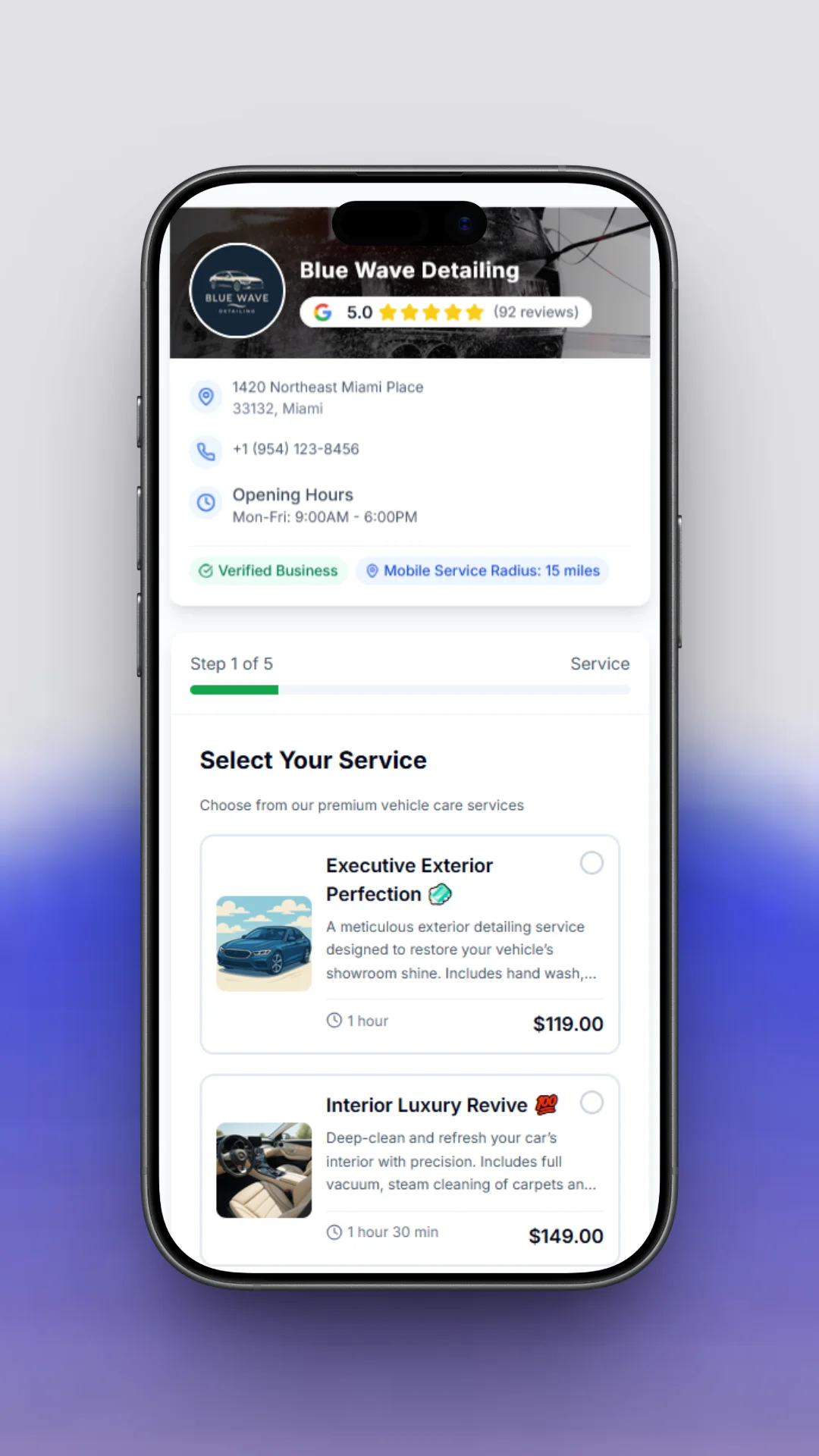
Book several services and vehicles in one order
Clients add multiple services, stack add-ons like ceramic or pet-hair removal, and even book more than one vehicle in a single checkout, so your average ticket goes up without extra admin.
- Multiple services and vehicles in one booking
- Add-ons and packages presented at checkout
- One combined time slot and one deposit
Every booking lands in one place
The moment a client books, it hits your dashboard and calendar with the vehicle, service, add-ons, and price already filled in. No double entry, and no missed appointments.
- Bookings, calendar, and customers in one view
- Your jobs and revenue at a glance
- Runs on your phone between details
Reminders that keep your calendar full
DetailPilot sends an automatic confirmation and reminder before every appointment, so clients show up ready and your day stays booked solid.
- Automatic confirmation and reminder texts
- Deposits filter out the tire-kickers
- Fewer empty slots and last-minute cancels
Embed booking right on your own site
Prefer to keep clients on your own website? Drop the DetailPilot booking widget into any page with one snippet, so visitors book without leaving your site and it stays in sync with your services, pricing, and availability.
- One-line embed on any website
- Inline, popup, or button modes
- Always in sync with your booking page
Why detailers turn it on
- Open 24/7: Clients book at midnight or on a Sunday, whenever they decide the car needs love.
- Book in a few taps: A clean, mobile-first flow with no app to download and no account to create.
- Vehicle-based pricing: Price by sedan, SUV, or truck, with add-ons like ceramic or pet-hair removal.
- Deposits stop no-shows: Require a deposit at booking to filter out tire-kickers and protect your calendar.
- One link everywhere: Put your booking link in your Instagram bio, Google profile, and website.
- Capture the jobs you miss: Self-booking captures the calls you cannot answer mid-detail.
How it works
- Add your services: List your packages, vehicle pricing, and add-ons. A setup assistant walks you through it.
- Share your link: Put your booking page in your Instagram bio, Google profile, and website.
- Get booked: Clients self-book and pay 24/7. Appointments land on your calendar automatically.
Related features
- Car Detailing Payments: Get Paid Faster, Every Way
- Car Detailing SMS Reminders That Cut No-Shows
- Car Detailing Website Builder That Gets You Found
Frequently asked questions
How do clients book a car detailing appointment online?
They open your branded booking page, pick a service and any add-ons, choose an available time, and confirm. They can pay or leave a deposit right there. No app, no account.
Can I require a deposit to stop no-shows?
Yes. You can require a deposit at booking, either a percentage or a flat amount. It filters out no-shows and is credited toward the final price.
Can I set different prices for sedans, SUVs, and trucks?
Yes. Pricing is vehicle-based, so a truck can cost more than a sedan automatically, and you can attach add-ons like ceramic coating or interior shampoo.
Does online booking work for mobile detailing?
Yes. You can set your service area and travel fees, and the booking page factors in travel time so your day stays realistic.
Do I need a website?
Your DetailPilot booking page is a full page on its own, so you can share the link in your Instagram bio, Google profile, or text it to a client. And when you want a real website, DetailPilot builds one for you in minutes with this booking flow built in.